Agent mode
Fully autonomous browser interaction. The AI browses, captures, and writes the client end-to-end.
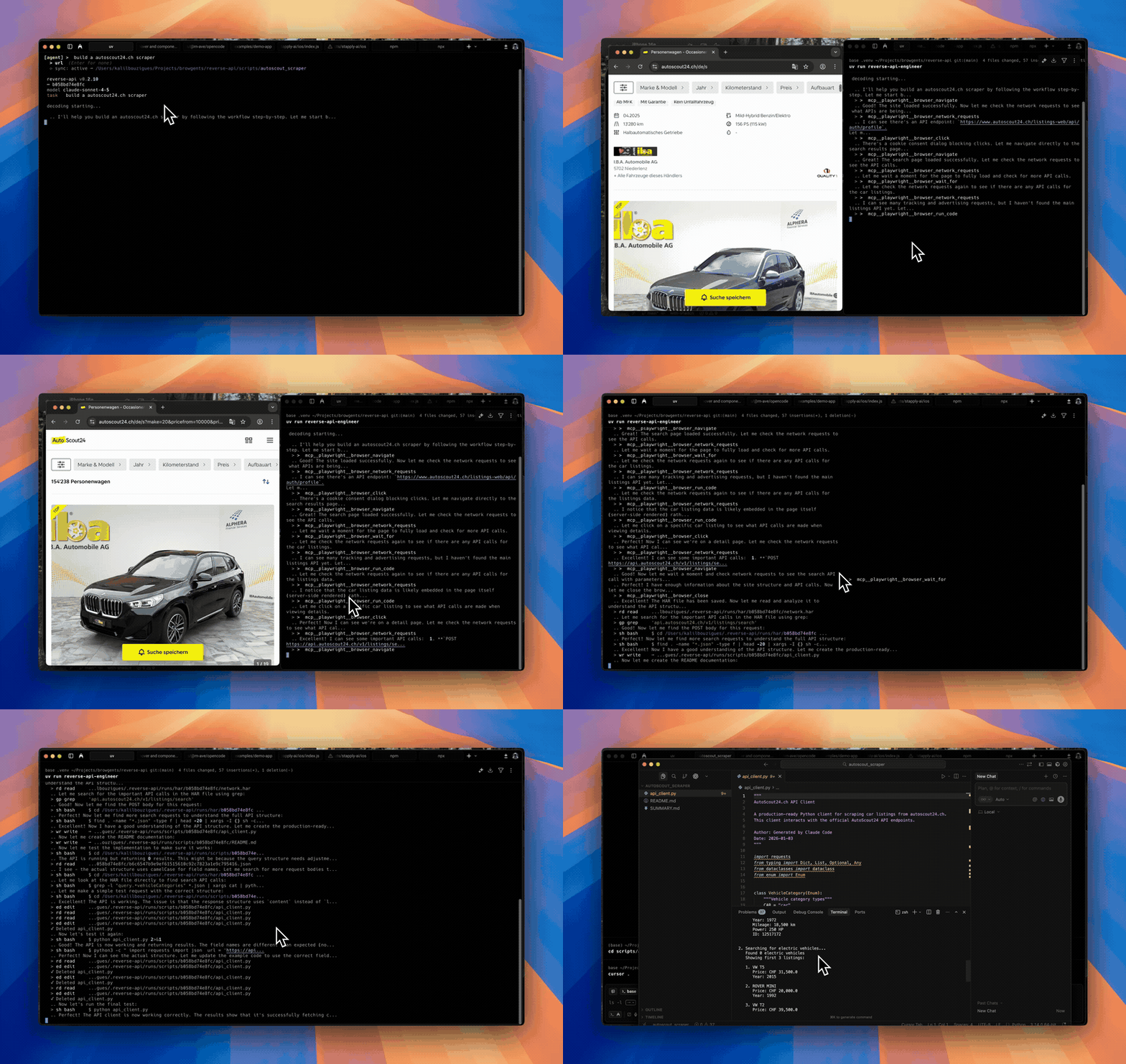
Agent mode hands the steering wheel to the AI. Describe the goal in plain
English; providers such as Playwright MCP or Chrome DevTools MCP route browser actions over MCP, whereas agent-browser shells upstream's CLI directly after Reverse API Engineer resolves the binary (PATH agent-browser, else npm install -g <pin>, else npx -y) and prompt-injected skill workflows.
When to use it
- You want full automation, no manual browsing required.
- The site exposes a stable, predictable flow (public job boards, docs sites, marketing APIs).
- You're scripting captures from another agent, a cron job, or CI.
Running interactively
reverse-api-engineer
# the session starts in agent mode
> all open jobs on jobs.ashbyhq.com/openaiOr start from the subcommand: in a terminal, agent opens the same session
and starts the run right away, with its options kept for the prompts you type
next.
reverse-api-engineer agent --prompt "all open jobs on jobs.ashbyhq.com/openai" --headlessThe agent's steps, messages and reasoning stream into the conversation. Type a
follow-up when it finishes, answer its questions in the input bar, and press
Esc to stop it. /resume picks a past run back up where it stopped, for
runs that saved their SDK session.
Running non-interactively
With --json, --json-stream or --no-interactive, agent never opens the
session: it prints plain output and exits, which is what scripts and other
agents want.
reverse-api-engineer agent \
  --prompt "capture the public jobs api" \
  --url https://example.com/jobs \
--json | jqThe --json flag makes the command emit a single JSON document on stdout
(see Scripted usage for the schema and exit
codes).
Use --json-stream when a supervising agent wants NDJSON progress events
during the browser and generation loop:
reverse-api-engineer agent \
  --prompt "capture the public jobs api" \
  --url https://example.com/jobs \
--json-streamFor wrapper or CI validation without launching a browser, use:
reverse-api-engineer agent \
  --prompt "capture the public jobs api" \
  --url https://example.com/jobs \
--dry-run--dry-run implies JSON output and checks prompt, URL, SDK config, browser
tooling, and output directory writability.
Agent providers
Pick the provider in /settings then "agent provider".
Drives your real Chrome browser via
Chrome DevTools MCP,
with your existing sessions, cookies, and auth. Default for new
configurations. No HAR file is saved, so engineer <run_id> cannot
regenerate these runs. --headless starts a separate headless Chrome
instead, without your sessions.
Requirements:
- Node.js 20.19+ (headed and headless)
- Headed runs only: Chrome 146+, open, with auto-connect enabled at
chrome://inspect/#remote-debugging; accept Chrome's connection prompt when the run starts
If Chrome is not reachable, the run stops before launching with setup
steps and error_kind: config_invalid; agent --dry-run reports the same
check.
Reasoning model
The agent's reasoning model is the same as your configured SDK model. See Model selection to change it.